

plot_napari#
- deepinv.utils.plot_napari(*x, screenshot=False, rescale_mode='min_max', vmin=None, vmax=None)[source]#
View 2D images or 3D volumes in napari.
Opens an interactive napari viewer displaying the provided tensors side by side in a grid. This is useful for visualising 3D data e.g. volumes or stacks of images.
Warning
Requires
naparito be installed. Install it withpip install "napari[all]".Note
This function opens an interactive window and therefore requires a display. Pass
screenshot=Trueto render off-screen and return aPIL.Image.Imageinstead.- Parameters:
x (torch.Tensor) – tensors passed as args, accepts 1 to 6. Each must be either a 2D image of shape
(1, 1, H, W)or a 3D volume of shape(1, 1, D, H, W). Batch dim and channel dim must both be 1. All tensors must have the same number of dimensions but can be different sizes.screenshot (bool) – if
True, capture a screenshot after rendering, close the viewer, and return aPIL.Image.Image.rescale_mode (str) – rescale mode, either
'min_max'(images are linearly rescaled between 0 and 1 using their min and max values) or'clip'(images are clipped between 0 and 1).vmin (float, None) – optional minimum value for clipping when using ‘clip’ rescaling.
vmax (float, None) – optional maximum value for clipping when using ‘clip’ rescaling.
- Returns:
None, or aPIL.Image.ImageifscreenshotisTrue.- Return type:
None
Examples using plot_napari:#
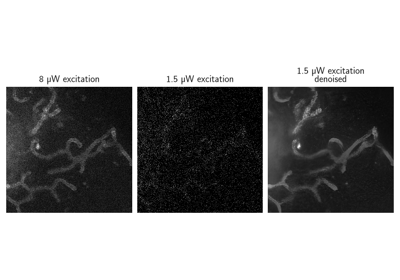
Low-intensity STED fluorescence microscopy denoising