
Transform#
- class deepinv.transform.Transform(*args, n_trans=1, rng=None, constant_shape=True, flatten_video_input=True, index_params_into_batch=False, **kwargs)[source]#
Bases:
ModuleBase class for image transforms.
The base transform implements transform arithmetic and other methods to invert transforms and symmetrize functions.
All transforms must implement
_get_params()to randomly generate e.g. rotation degrees or shift pixels, and_transform()to deterministically transform an image given the params.To implement a new transform, please reimplement
_get_params()and_transform()(with a**kwargsargument). See respective methods for details.All transforms automatically handle video input (5D of shape
(B,C,T,H,W)) by flattening the time dimension.Also handle deterministic (non-random) transformations by passing in fixed parameter values
**params, in which casen_transwill be ignored.Note
When
len(param) > 1,xis transformed multiple times by copying itlen(param)times, which is useful for data augmentation or equivariance. However, if instead you want each param element to transform each batch element in an image, setindex_params_into_batch=True.
- Examples:
Randomly transform an image:
>>> import torch
>>> from deepinv.transform import Shift, Rotate
>>> from torchvision.transforms import InterpolationMode
>>> x = torch.rand((1, 1, 2, 2)) # Define random image (B,C,H,W)
>>> transform = Shift() # Define random shift transform
>>> transform(x).shape
torch.Size([1, 1, 2, 2])
Deterministically transform an image:
>>> y = transform(transform(x, x_shift=[1]), x_shift=[-1])
>>> torch.all(x == y)
tensor(True)
# Accepts video input of shape (B,C,T,H,W):
>>> transform(torch.rand((1, 1, 3, 2, 2))).shape
torch.Size([1, 1, 3, 2, 2])
Multiply transforms to create compound transforms (direct product of groups) - similar to
torchvision.transforms.Compose:>>> rotoshift = Rotate( ... interpolation_mode=InterpolationMode.BILINEAR ... ) * Shift() # Chain rotate and shift transforms >>> rotoshift(x).shape torch.Size([1, 1, 2, 2])
Sum transforms to create stacks of transformed images (along the batch dimension).
>>> transform = Rotate(
...     interpolation_mode=InterpolationMode.BILINEAR
... ) + Shift() # Stack rotate and shift transforms
>>> transform(x).shape
torch.Size([2, 1, 2, 2])
Randomly select from transforms - similar to
torchvision.transforms.RandomApply:>>> transform = Rotate( ... interpolation_mode=InterpolationMode.BILINEAR ... ) | Shift() # Randomly select rotate or shift transforms >>> transform(x).shape torch.Size([1, 1, 2, 2])
Symmetrize a function by averaging over the group (also known as Reynolds averaging):
>>> f = lambda x: x[..., [0]] * x # Function to be symmetrized
>>> f_s = rotoshift.symmetrize(f)
>>> f_s(x).shape
torch.Size([1, 1, 2, 2])
- Parameters:
n_trans (int) – number of transformed versions generated per input image, by copying the image
n_transtimes and generatingn_transparams. Defaults to 1rng (torch.Generator) – random number generator, if
None, usetorch.Generator, defaults toNoneconstant_shape (bool) – if
True, transformed images are assumed to be same shape as input. For most transforms, this will not be an issue as automatic cropping/padding should mean all outputs are same shape. If False, for certain transforms includingdeepinv.transform.Rotate,transformwill try to switch off automatic cropping/padding resulting in errors. However,symmetrizewill still work but perform one-by-one (i.e. without collating over batch, which is less efficient).flatten_video_input (bool) – accept video (5D) input of shape
(B,C,T,H,W)by flattening time dim before transforming and unflattening after all operations.index_params_into_batch (bool) – if
False(default), whenlen(param) > 1during transform (either byn_trans > 1or user-passed params),xis transformed multiple times by copying itlen(param)times. This is useful for data augmentation. However, ifTrue, each param element is used for each batch element; requireslen(param)=len(x)for every param in params.
- __add__(other)[source]#
Stacks two transforms via the + operation.
- Parameters:
other (deepinv.transform.Transform) – other transform
- Returns:
(deepinv.transform.Transform) operator which produces stacked transformed images
- __mul__(other)[source]#
Chains two transforms via the * operation.
- Parameters:
other (deepinv.transform.Transform) – other transform
- Returns:
(deepinv.transform.Transform) chained operator
- forward(x, **params)[source]#
Perform random transformation on image.
Calls
get_paramsto generate random params for image, thentransformto deterministically transform.For purely deterministic transformation, pass in custom params and
get_paramswill be ignored.- Parameters:
x (torch.Tensor) – input image of shape (B,C,H,W)
- Return torch.Tensor:
randomly transformed images concatenated along the first dimension
- Return type:
- get_params(x)[source]#
Randomly generate transform parameters, one set per n_trans.
Params are represented as tensors where the first dimension indexes batch and
n_trans. Params store e.g rotation degrees or shift amounts.Params may be any Tensor-like object. For inverse transforms, params are negated by default. To change this behavior (e.g. calculate reciprocal for inverse), wrap the param in a
TransformParamclass:p = TransformParam(p, neg=lambda x: 1/x)- Parameters:
x (torch.Tensor) – input image
- Return dict:
keyword args of transform parameters e.g.
{'theta': 30}- Return type:
- identity(x, average=False)[source]#
Sanity check function that should do nothing.
This performs forward and inverse transform, which results in the exact original, down to interpolation and padding effects.
Interpolation and padding effects will be visible in non-pixelwise transformations, such as arbitrary rotation, scale or projective transformation.
- Parameters:
x (torch.Tensor) – input image
average (bool) – average over
n_transtransformed versions to get same number as output images as input images. No effect whenn_trans=1.
- Return torch.Tensor:
\(T_g^{-1}T_g x=x\)
- Return type:
- inverse(x, batchwise=True, **params)[source]#
Perform inverse transformation on image.
Let
**paramscorrespond to a forward transform. This function inverts the params to perform the corresponding inverse transform.If
**paramsare not passed, then a random inverse transform will be performed. When the transform class represents a group, the distribution of inverse transforms is the same as the distribution of inverse transforms.- Parameters:
x (torch.Tensor) – input image
batchwise (bool) – if
True, the output dim 0 expands to be of sizelen(x) * len(param)for the params of interest.Trueis useful if you wantinverseto transformxwithn_transnew random inverse transforms. IfFalse, splitxinton_transchunks and invert chunkiusing thei-th params, to keep constantlen(out)=len(x).Falseis useful if you wantinverseto just invert then_transforward-transformed images. Requireslen(x)divisible byn_transand every param to have lengthn_trans. Either way, there is no effect whenn_trans==1
- Return torch.Tensor:
randomly transformed images
- Return type:
- invert_params(params)[source]#
Invert transformation parameters. Pass variable of type
TransformParamto override negation (e.g. to take reciprocal).
- symmetrize(f, average=False, collate_batch=True)[source]#
Symmetrize a function with a transform and its inverse.
Given a function \(f(\cdot):X\rightarrow X\) and a transform \(T_g\), returns the group averaged function \(\sum_{i=1}^N T_{g_i}^{-1} f(T_{g_i} \cdot)\) where \(N\) is the number of random transformations.
For example, this is useful for Reynolds averaging a function over a group. Set
average=Trueto average overn_trans. For example, useRotate(n_trans=4, positive=True, multiples=90).symmetrize(f)to symmetrize f over the entire group.- Parameters:
f (Callable[[torch.Tensor, Any], torch.Tensor]) – function acting on tensors.
average (bool) – monte carlo average over all random transformations (in range
n_trans) when symmetrising to get same number of output images as input images. No effect whenn_trans=1.collate_batch (bool) – if
True, collectn_transtransformed images in batch dim and evaluatefonly once. However, this requiresn_transextra memory. IfFalse, evaluateffor each transformation. Always will beFalsewhen transformed images aren’t constant shape.
- Return Callable[[torch.Tensor, Any], torch.Tensor]:
decorated function.
- Return type:
- transform(x, **params)[source]#
Transform image given transform parameters.
Given randomly generated params (e.g. rotation degrees), deterministically transform the image x.
The subclass
_transformshould takexof arbitrary batch size and transform itlen(param)times for each param in params. Ifindex_params_into_batch=True, instead transform imageiofxusing thei-th params. Requires every param to have lengthlen(x). This is useful for transforming each image in a batch with a different param, for example representing some transform trajectory.- Parameters:
x (torch.Tensor) – input image of shape (B,C,H,W)
params – parameters e.g. degrees or shifts provided as keyword args.
- Returns:
torch.Tensor: transformed image.
- Return type:
Examples using Transform:#
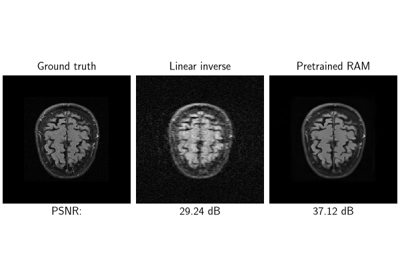
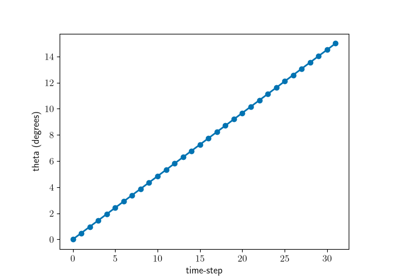
Motion simulation and motion-compensated reconstruction


Self-supervised learning with Equivariant Imaging for MRI.

Self-supervised learning with Equivariant Splitting